HubSpot CRM review: we ran a small sponsor pipeline on the free plan
We added contacts, tracked a $500 sponsorship deal and built a sign-up form on free HubSpot. The CRM is genuinely free; the branding and the one pipeline are the catch.
ToolDebrief earns a commission if you buy through some links on this page. It costs you nothing extra and never changes the verdict. How this works.
The free CRM did everything a solo creator needs to track sponsors: contacts, companies, a deal board and a sign-up form, with no card. The catches are a HubSpot logo on every form, one deal pipeline, two users, and AI and upgrade prompts on almost every screen. Starter removes the logo from $20 a seat a month, or less with the current new-customer offer.
- Contacts, companies, deals and forms all work free, with no card
- It created and linked a company from our contacts' email domain by itself
- Dragging a deal to the next stage saved at once and updated the weighted amount
- A newsletter form template was ready to share in a few minutes
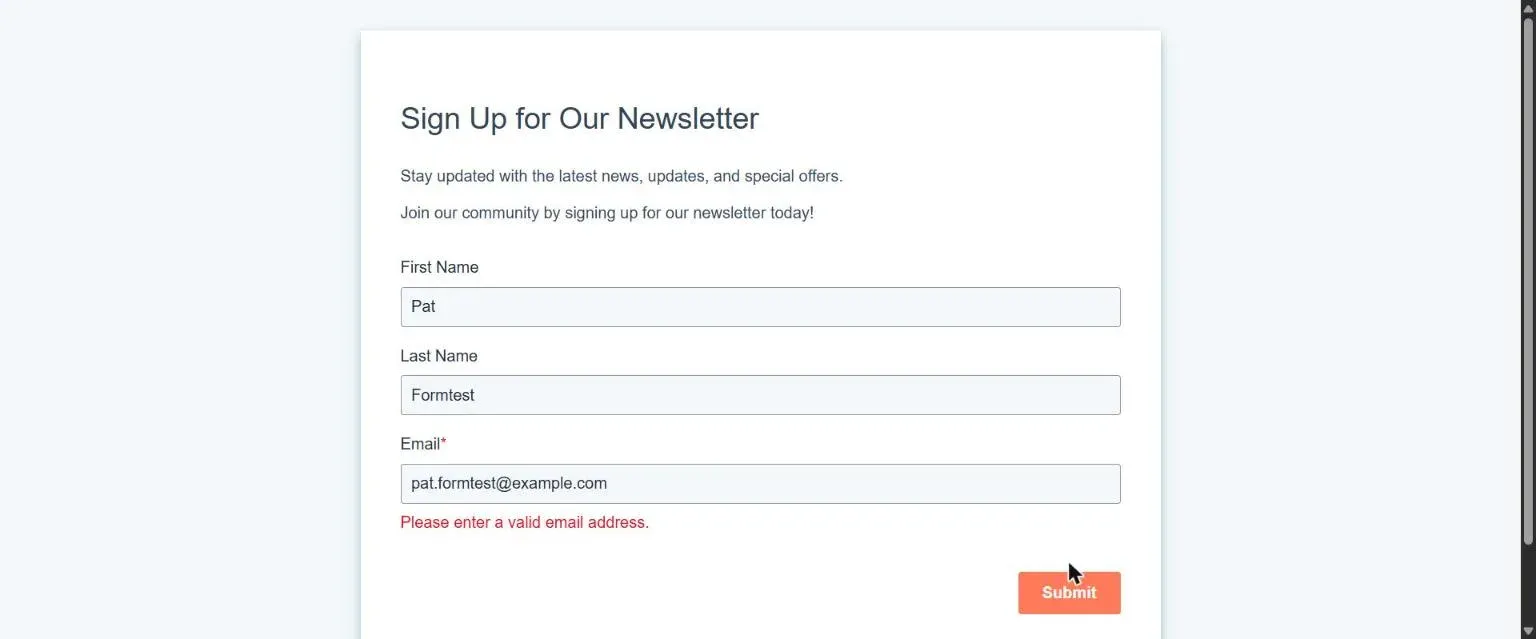
- The form refused a made-up email domain, which keeps out junk sign-ups
- Free forms carry a "Create your own free forms" HubSpot link you cannot remove
- One deal pipeline and two users on the free plan
- Our first deal did not save; the Create button sometimes needed a second click
- AI buttons, "Upgrade" and "Complete your setup" prompts on nearly every screen
- New accounts start with sample contacts you have to delete
Price · Free for up to 2 users; Starter $20 a seat a month (new-customer offer from $7 billed yearly); Sales Hub Professional from $90 a seat a month plus a $1,500 onboarding fee (checked 14 November 2026)
HubSpot is famous for its free CRM, and infamous for what the paid plans cost. We wanted to know whether the free plan is enough for a small business or a solo creator who needs to keep track of people and deals, and grow an email list.
What we tested
On 14 November 2026 we opened a new HubSpot account on the free plan, with no trial and no payment card. We skipped the prompt to connect a Gmail or Outlook inbox.
We used it for a job this site actually has: tracking sponsorship enquiries. That meant:
- Adding three contacts (test people at
example.comaddresses). - Creating a $500 sponsored-review deal and moving it through the pipeline.
- Building a newsletter sign-up form and trying to submit it.
What happened
Contacts: quick, and it filled in the company
Adding a contact takes a name and an email. After we added our three, HubSpot had created a company called example.com on its own and linked all three people to it. That is useful: most CRMs make you do this by hand.
Every contact record also has an AI box called Contact insights, which wrote a summary straight away. With no emails or calls logged, it had nothing to say: “No recent activities or communications are recorded”.
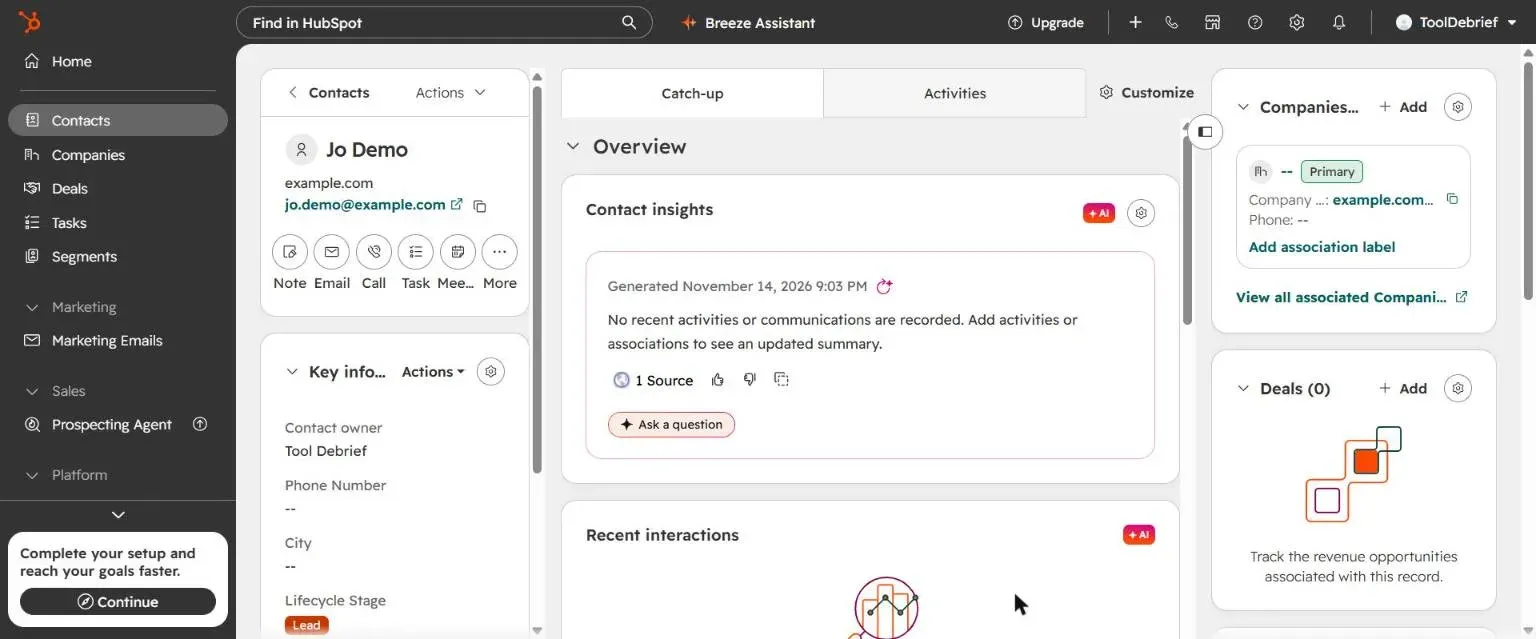
New accounts also come with two sample contacts already in the list. They are fine for exploring, but delete them before you import real people.
Deals: the board works, the Create button did not always
We created a deal called “Test deal: sponsored review” for $500 in the default Sales Pipeline. Our first attempt did not save: the form closed and no deal appeared. On the second try, the form layout shifted as we typed and our amount landed in the close date field, so we had to clear it and fill it in again. After that it saved. Other Create buttons sometimes needed a second click too.
Once the deal was there, the board was easy. We dragged the card from Appointment Scheduled to Qualified To Buy, a “Changes saved” message appeared at once, and HubSpot recalculated the deal’s weighted value from 20% to 40% of the amount.
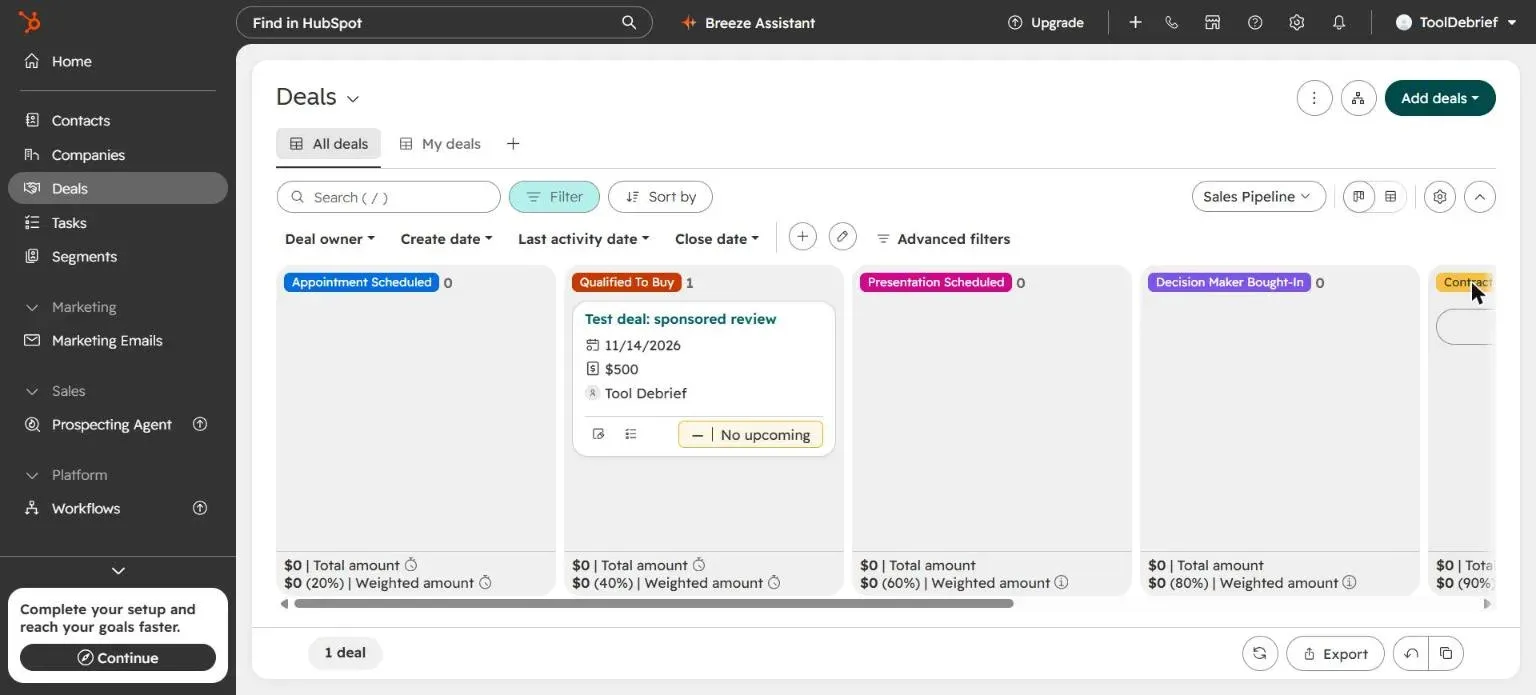
The free plan gives you one deal pipeline. HubSpot’s own upgrade page told us we had used “1 of 1”. If you want separate pipelines for, say, sponsors and freelance clients, that is a paid feature.
The sign-up form: ready in minutes, with HubSpot’s logo
Under Marketing, Forms, we picked the Newsletter template. It came ready with a heading, first name, last name, email and a thank-you message. We published it without changing anything, and HubSpot offered three ways to use it: embed code for any website, a share link, or embedding on HubSpot’s own pages, which needs a paid feature.
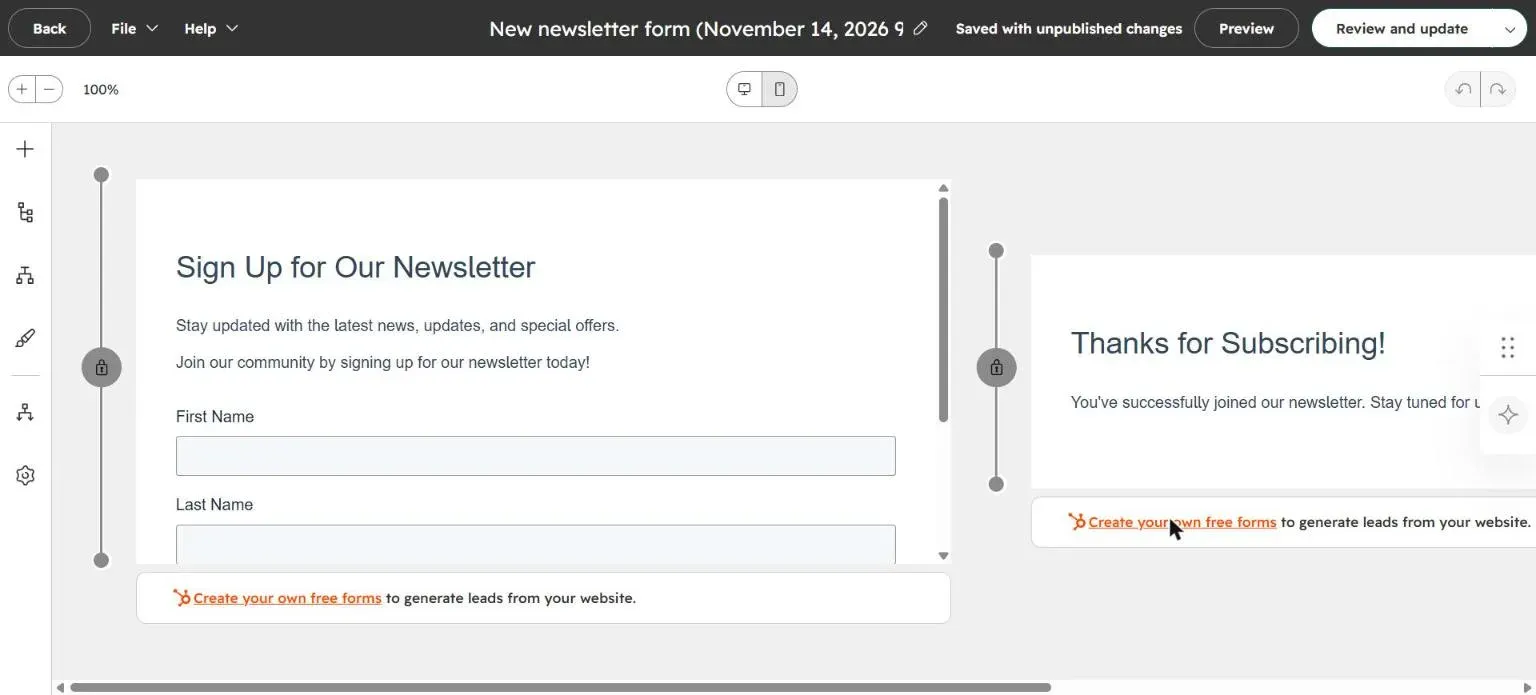
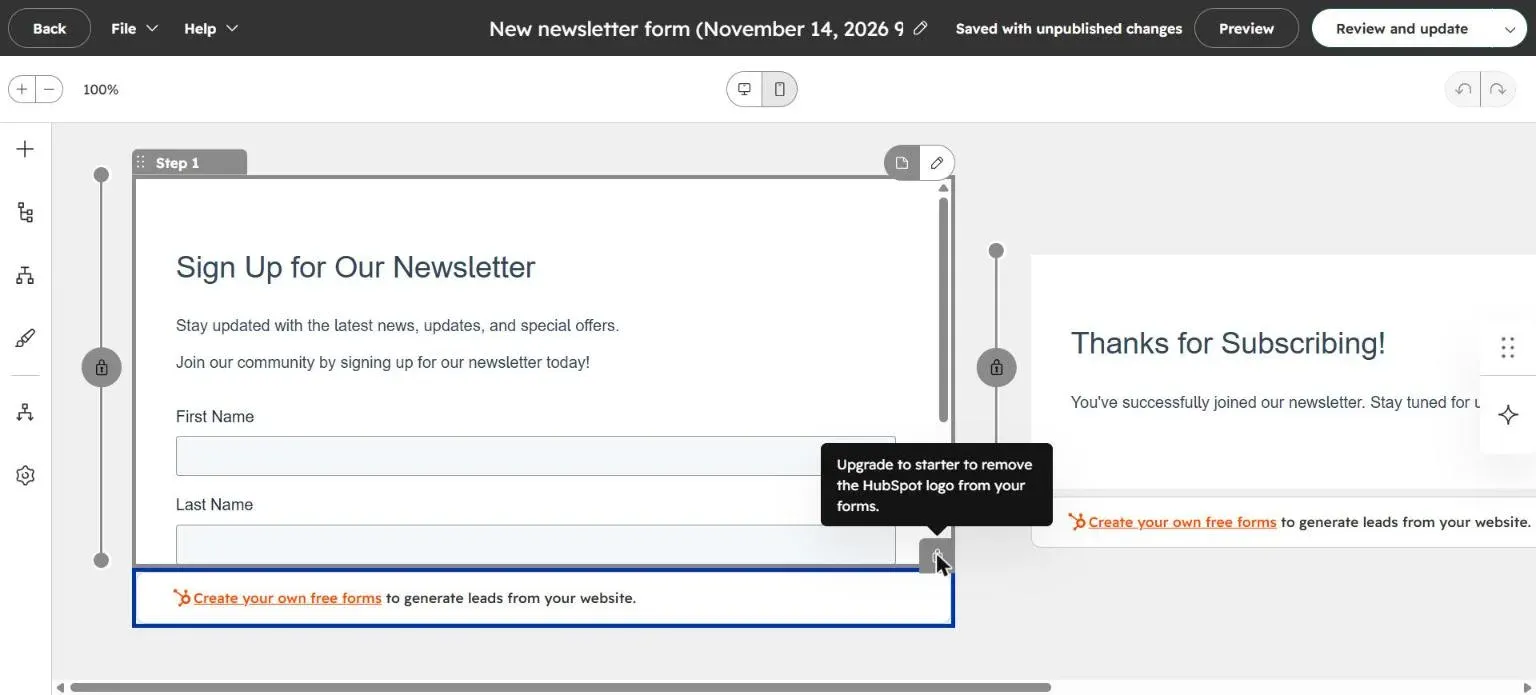
Under the form sits a link: “Create your own free forms to generate leads from your website”, with HubSpot’s logo. We tried to remove it. The delete button showed: “Upgrade to starter to remove the HubSpot logo from your forms.”
Before publishing, HubSpot also warned us to turn on reCAPTCHA and add a data privacy field. Both are good advice, and both are free to add.
Submitting the form
We opened the share link and filled in a test name with an example.com address. The form
refused it: “Please enter a valid email address.” example.com is a reserved domain that cannot
receive email, so HubSpot is checking whether the address can actually exist, not just whether it
has an @ sign. That will keep some junk out of your list. We did not submit a real person’s address,
so we have not tested what happens after a successful sign-up.
What the free plan holds back
HubSpot’s upgrade page lists the free limits for this account. The ones a small business will notice first:
| Free plan limit | What it means |
|---|---|
| 2 users | You and one other person |
| 1 deal pipeline | One sales process |
| 2,000 marketing emails a month | With HubSpot branding |
| 3 email templates and 3 snippets | For one-to-one sales emails |
| 10 active lists (segments) | Enough for a small newsletter |
| 1 meetings link | With HubSpot branding |
And on almost every screen: a Breeze Assistant AI button, “+AI” badges on record boxes, an Upgrade button, and a “Complete your setup and reach your goals faster” box in the corner.
Price
| Plan | Price | Best for |
|---|---|---|
| Free | $0, up to 2 users | Contacts, one pipeline and forms with HubSpot branding |
| Starter | $20 a seat a month | Removing the branding, 2 pipelines, more email |
| Sales Hub Professional | From $90 a seat a month, plus $1,500 onboarding | Sales teams that need automation and reporting |
Prices from HubSpot’s pricing pages on 14 November 2026. HubSpot was also running a new-customer offer on Starter: $7 a seat a month paid yearly, or $10 paid monthly. Check the price at checkout, and what it renews at.
Who should use it
Use the free plan if you are one or two people tracking clients, sponsors or leads in one pipeline. It is a real CRM, not a trial, and it has no card or time limit.
Pay for Starter if the “Create your own free forms” link on your sign-up form bothers you, or you need a second pipeline. At $20 a seat it is reasonable for a business.
Skip HubSpot if you only want an email list. A dedicated newsletter tool like MailerLite or Kit gives you sign-up forms and sending in one place.
The bottom line
HubSpot’s free CRM is generous: contacts, companies, a deal board and working forms, free for two users. It is also a shop window. The logo on every form, the single pipeline and the constant upgrade and AI prompts are there to move you to Starter. For a solo business that can live with a small HubSpot link, the free plan is enough.