Kit review: a sign-up page, our own domain and a first email on the free plan
We built a Kit landing page, verified our own sending domain and sent a first broadcast on the free plan. Quick to set up, with one default worth changing.
ToolDebrief earns a commission if you buy through some links on this page. It costs you nothing extra and never changes the verdict. How this works.
The most generous free plan we have tested for a plain newsletter: 10,000 subscribers, unlimited pages and our own sending domain, verified in under a minute. But automated email sequences need the $33-a-month Creator plan, and a new account recommends other newsletters to your subscribers until you switch that off.
- The free plan allows up to 10,000 subscribers, with unlimited landing pages, forms and broadcasts
- Our sending domain was verified about 20 seconds after we added three DNS records
- The confirmation email and the first broadcast both landed in the inbox, not spam
- Clean, editable landing page templates; ours was live in about 10 minutes
- A review screen before every send shows the subject, sender and number of recipients
- Recommendations are on by default: new subscribers first see a pop-up of unrelated newsletters
- Automated email sequences and visual automations are not in the free plan
- The Creator plan starts at $33 a month for 1,000 subscribers
- Free pages and emails carry a "Built with Kit" badge
- The support chat bubble covered the Continue button when we tried to send
Price · Free up to 10,000 subscribers, then Creator from $33 or Pro from $66 a month for 1,000 subscribers; yearly billing saves about 17% (checked 14 November 2026)
Kit, the email tool that used to be called ConvertKit, is built for creators: people who write a newsletter and sell a few digital products. We gave it the same job we gave MailerLite and Systeme.io: build a sign-up page, collect a subscriber and send them a first email from our own domain.
What we tested
On 14 November 2026 we opened a new Kit account on the free plan, with no trial and no payment
card. We built a landing page for a weekly ToolDebrief email, verified tooldebrief.com as a
sending domain, signed up through the live page with our own address and sent a first broadcast to
that one subscriber.
What happened
Building the page: templates, not AI
Kit has no AI page builder. “Create a landing page” opens a template gallery with 21 sign-up page designs, plus a separate set for selling products. We picked a single-screen newsletter template and edited it in place: click a block, type over the text, and adjust the type styles in a side panel.
The editor has three tabs: the landing page, the thank-you message and the confirmation email. That is handy, because it puts everything a new subscriber will see in one place.
We changed the logo text, headline, form heading and description, removed the template’s
placeholder social links and published. It took about 10 minutes. The page lives on a
kit.com subdomain named after the account, and the free plan adds a small “Built with Kit” badge
below it.
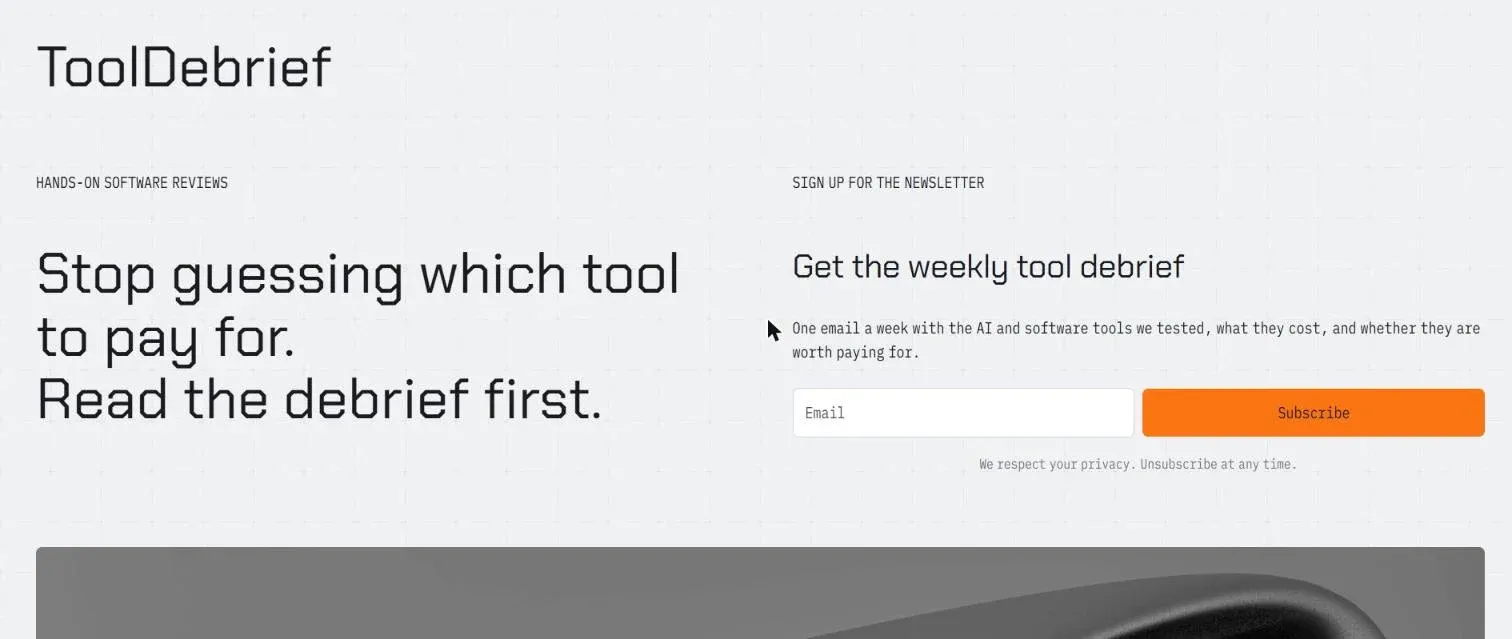
Compared with MailerLite’s AI builder, this is slower to start but there was nothing to undo: no invented ratings or buttons, only the text we wrote.
Verifying our domain: the fastest we have seen
Kit calls this a Verified Sending Domain, under Settings, then Email. You type the domain, and Kit lists the records to add:
- Three CNAME records, one for SPF and two for DKIM, all pointing to Kit’s servers.
- A DMARC TXT record set to
p=none.
Because the SPF record is a CNAME on its own name, it does not touch your existing SPF record. That removes the riskiest step we hit with other tools, where one wrong edit can send your normal email to spam.
We already had a DMARC record, and a domain can only have one, so we kept ours and added only the three CNAMEs. Kit accepted that. After we clicked Validate, it showed “Domain validation successful!” about 20 seconds later. MailerLite took about 20 minutes; Systeme.io took most of a day.
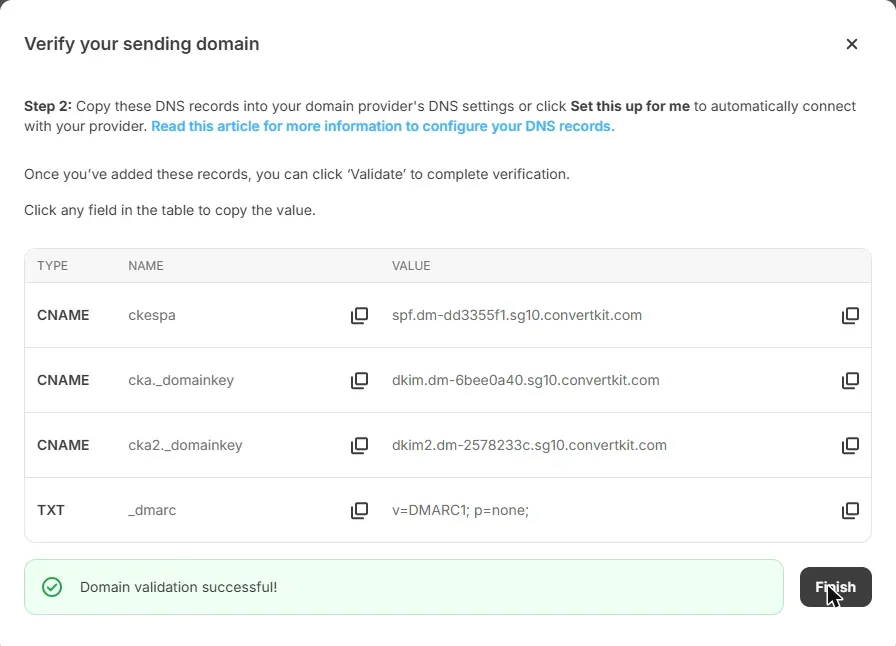
Kit also offers a “Set this up for me” button that connects to your DNS host and adds the records. We did not use it, because it might have replaced our existing DMARC record. If you have no DMARC record yet, it could save you a few minutes.
Collecting a subscriber: watch the pop-up
We signed up on the live page with our own address. Before our success message appeared, Kit showed a pop-up headed “Thanks for subscribing!” with a list of other creators’ newsletters, each with a tick box. Ours were about cooking and baking, which had nothing to do with a software review site.
This is Kit’s Recommendations network. It is switched on for new accounts, and nothing in the landing page editor mentions it. Kit also wrote a creator profile for us (“a blogger who loves to talk about artificial intelligence and technology”) to show to other creators’ subscribers. Over time, both can help a newsletter grow: you recommend others, and they recommend you. But on day one it means your brand-new subscriber is offered someone else’s newsletter before they even see your thank-you message.
You can turn it off under Recommendations, then Settings, then Turn off Recommendations. Check that page before you share your sign-up link.
After the pop-up, the page showed our own message in place of the form.
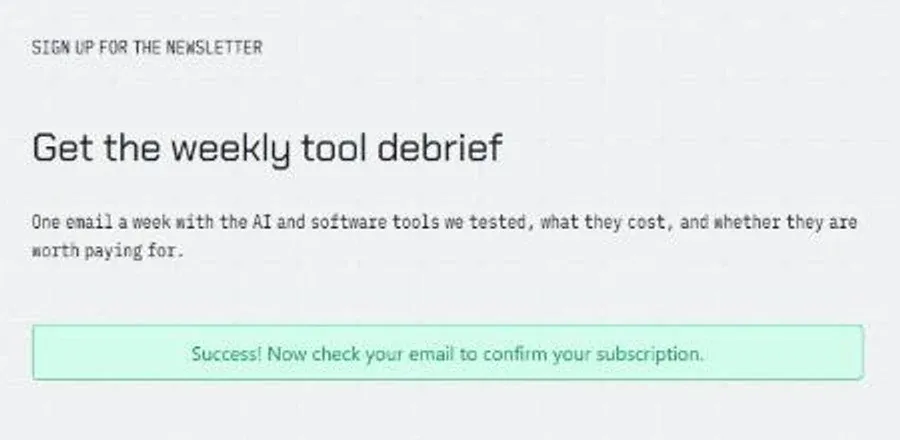
Double opt-in is on by default, as with MailerLite. The confirmation email, “Important: confirm your subscription”, arrived in our inbox within a minute, sent from our own domain. Clicking its button opened a “Subscription confirmed!” page, again with a panel promoting Kit.
The confirmation email’s footer used Kit’s own mailing address in Seattle, because we had not entered ours. Anti-spam laws require a postal address in every marketing email; Kit fills the gap, but you will want your own (or a mailbox service) under Settings, then Email.
Sending the first broadcast
A broadcast starts with a template choice. We used Text only, typed a subject and a short welcome note and moved to the publish step. There you choose where it goes: by email, to Kit’s public newsletter site, or both. We picked email only, sent to all subscribers (one person) and set it to send now.
One problem: clicking Continue did nothing. Kit’s support chat pop-up in the corner of the screen was sitting on top of the button, so our clicks were going to the chat window. Once we closed it, Continue opened a Review Broadcast screen with the subject, sender, audience and subscriber count, and a final Send email button. That review step is a good safeguard against sending to the wrong list.
The email arrived in the inbox, not spam, within seconds.
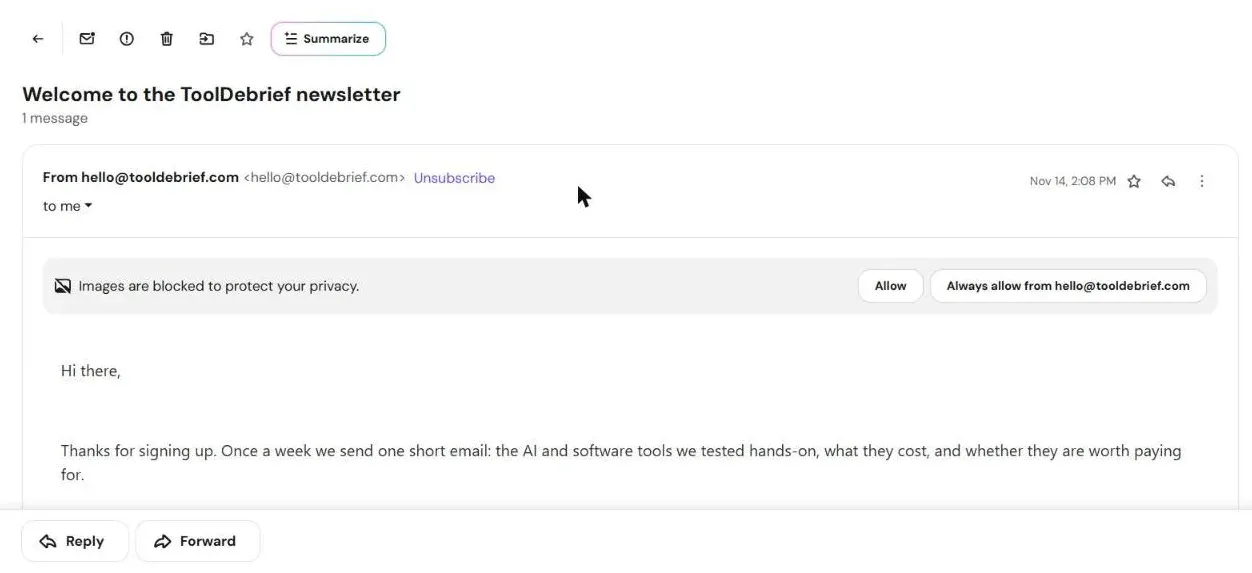
From an empty account to an email in the inbox took about an hour, and most of that was writing the page and the email.
Where it fell short
- Recommendations on by default. Your subscribers see other newsletters before your own thank-you message unless you turn it off.
- No automations on the free plan. A welcome series that sends on its own, or anything in the visual automation builder, needs the Creator plan. On the free plan you send broadcasts by hand.
- The paid plans cost more. Creator starts at $33 a month for 1,000 subscribers. MailerLite’s Comfort plan starts at $12 for 500.
- Kit branding stays on the free plan, on pages, the confirmation page and emails.
- Small interface friction. The support chat covered the Continue button, and upgrade banners appeared on most screens.
Pricing
Prices from the Kit pricing page on 14 November 2026, billed monthly, for the smallest list size on the paid plans. Paid prices rise with the number of subscribers.
| Plan | Price | Subscribers | Automations and sequences | Kit branding |
|---|---|---|---|---|
| Free | $0 | Up to 10,000 | No | Yes |
| Creator | $33/mo, or $390 a year | 1,000 | Yes | Removable |
| Pro | $66/mo | 1,000 | Yes | Removable |
The free plan includes unlimited landing pages, forms and broadcasts, tags and segments, your own domain, and selling digital products and subscriptions for a 3.5% + 30¢ fee per sale. Apps and integrations are paid features. The free plan has 1 user and Creator has 2. Creator has a 14-day free trial with no card. On the day we tested, Kit was offering Pro at $50 a month for the first year.
What we did not test
We stayed on the free plan, so we did not try sequences, visual automations, integrations or the “Set this up for me” DNS option. We also did not test selling a product, the public newsletter site, or how the Recommendations network performs over time. Those are on the list for a later update.
Who should use it
Use it if you want to start a newsletter for free and expect your list to grow past a few hundred people. No other free plan we have tested lets you collect 10,000 subscribers and send from your own domain, and our emails went straight to the inbox.
Skip it if you want a welcome sequence running from day one without paying, or if you need a paid plan on a small budget. MailerLite is cheaper once you pay, and the Systeme.io free plan includes automations.
You can start with Kit’s free plan on its own site; no card is needed.